The Cambridge exam on computer or on paper is exactly the same exam: same content, same structure and the same Cambridge English Scale. The only differences are the medium you use to respond — typing or handwriting — and how quickly you get your results. Choosing well isn’t about finding a shortcut; it’s about picking the format that lets your real level show.
Is the Cambridge exam the same on computer and on paper?
Yes. The content, structure and scoring criteria are identical on computer and on paper. You face the same tasks, answer the same questions and are evaluated on the exact same Cambridge English Scale. The only differences lie in the medium you use to interact with the test and in how quickly you receive your results.
The single biggest misconception is that the digital exam is somehow “easier” or that the computer marks more leniently. It doesn’t. A C1 Advanced essay requires the exact same linguistic precision, cohesion and vocabulary range whether it is typed or handwritten. Cambridge does not award extra points for sleek digital delivery, nor deduct them for standard, legible handwriting. The difficulty stays the same; what changes is how your habits align with the format.
In the Use of English gap-fills, for example, on paper you physically write the word into the blank, while the digital version has you type it into an interactive box. The cognitive challenge — choosing the right word — is identical; only the physical execution changes. If you process language better by interacting with a page, paper isn’t “harder”, it simply suits your brain. The choice is about finding the format that lets your true level shine without the medium getting in the way.
What’s different in the computer-based exam — feature by feature
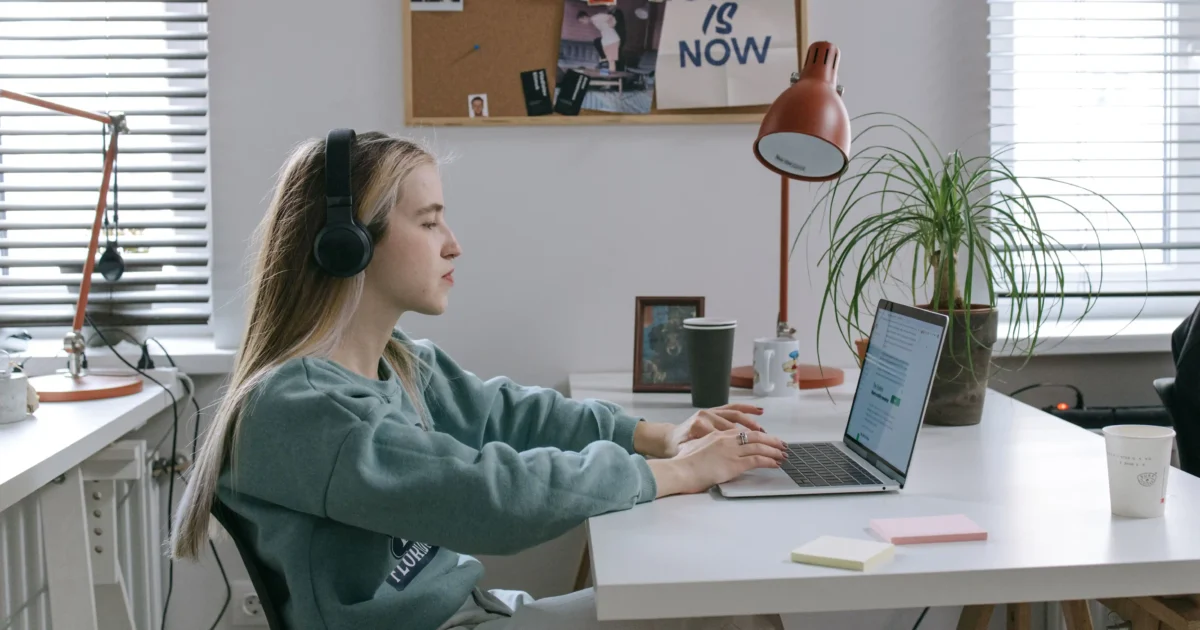
The Cambridge digital platform changes how you physically interact with each section, not what is assessed. It adds built-in tools — a word counter, individual headphones, a timer, highlighting — designed to make the experience more comfortable and controllable, with no auto-correct or spellchecker.
- Typing instead of a pen: you type all answers and essays. There is no auto-correct, so accurate typing still matters.
- Live word counter: in Writing, a real-time counter sits in your response box. You never waste minutes counting lines again.
- Individual headphones: in Listening you get headphones with your own volume control, insulated from echoes, coughing or outside noise.
- Digital highlighting: select text with the cursor to mark key passages or “cross out” wrong options in Reading.
- On-screen countdown timer: a persistent timer at the top. In the last 5 minutes it shows minutes and seconds, and the background turns red to warn you.
- Visual question tracking: each number has an indicator that changes once answered, plus a bookmark function to return to skipped questions.
- Custom interface: you can change font size and background contrast or colour to reduce eye strain over long sessions.
Beyond these features, the platform improves the cognitive design of some tasks. In Reading & Use of English Part 1 (multiple-choice cloze), the text is presented with drop-down menus embedded right inside the gaps. Instead of looking at a blank, shifting your eyes to the four options and transferring a letter to an answer sheet, you click the gap and select your word. That same-page layout reduces visual fatigue and keeps your focus on the context of the sentence.
What’s different in the paper-based exam — and why some still prefer it
The paper-based exam remains the preferred choice for candidates who process information best through physical interaction. You write essays by hand, flip through a physical booklet and interact with texts using a real pen. For people whose study and work are rooted in paper, it offers a familiar, low-stress environment a screen can’t replicate.
The paper exam’s design suits what we call an “analog layout”. When you open the Reading booklet, you see the whole text and its questions across a full double-page spread. That landscape layout makes it easy to track your thinking by underlining key phrases, circling connectors like although or furthermore, and marking eliminations next to multiple-choice options.
Paper also changes the psychology of time. Instead of a digital clock counting down seconds in the corner of your vision, you manage time using the wall clocks in the hall. For candidates who find a ticking digital timer anxiety-inducing, this classic setup allows a more focused, less rushed flow. The trade-off is logistical: because booklets must be collected, shipped and graded by hand, results take much longer.
How long do results take? The most underrated factor
Results speed is often the deciding factor, yet candidates routinely overlook it until after they book. With the digital version, your Statement of Results is typically available online within 5-10 working days. With paper, you wait 4-6 weeks while your answer sheets are processed, packed and shipped to Cambridge for manual grading.
For many test-takers that gap isn’t a minor inconvenience: it’s a make-or-break deadline. It’s vital for three profiles in particular: oposición candidates racing to submit qualifications before a regional deadline; university applicants trying to secure a place before a registrar cutoff; and professionals who need verification for a visa or a job start. The digital registration deadline is also closer to the exam date, so if you need to sit soon, digital may still let you register. When a deadline looms, processing speed overrides every formatting preference.
Listening: the section that genuinely changes the experience
Listening is the one section where format transforms your sensory experience. On paper, the audio plays through central loudspeakers in a shared hall, so quality depends on the room’s acoustics and you’re exposed to coughing, shuffling papers or street noise. On digital, every candidate gets individual headphones with their own volume control.
Those headphones create an isolation bubble that blocks room noise and ensures crystal-clear audio from start to finish. For candidates who struggle to catch subtle phonemic shifts, find C1 Advanced monologues hard to parse, or are derailed by distractors, this personal setup can make a measurable difference in comprehension and confidence.
But know how you react before exam day. If you get jittery, feel claustrophobic or experience sensory fatigue wearing headphones for 40 minutes straight, the open-air room speakers of the paper format might feel less restrictive. The best way to find out is to simulate a full Listening paper using over-ear headphones during mock practice and see how your brain handles the isolation.
Writing: the choice that depends on your handwriting and typing speed
Your Writing performance hinges on an honest appraisal of your mechanics: handwriting legibility versus typing fluency in English. On paper, you risk losing marks indirectly if an examiner struggles to read your script under pressure. On digital, your ideas flow cleanly onto the screen, but you need to type at a steady, accurate pace without a spellchecker.
The digital format offers a huge administrative asset: a live word counter that updates as you type. On paper, candidates frequently lose marks for organisation or task completion because they ran over or under the word count while miscalculating lines under stress. The computer removes that anxiety and lets you focus on grammar and vocabulary.
That said, your composition style matters as much as speed. If you like to plan essays on paper with brainstorm webs, arrows and quick cross-outs, the rigid screen cursor may feel restrictive. Good news: you can ask for a sheet or two of paper for all that planning and drafting before you start typing. Don’t guess — throughout your prep, practise both formats (handwritten mock essays and typed tasks) to see which lets you organise and execute with the least friction, within the time limit.
Who should choose which — a practical decision framework
To decide, skip the feature lists and look at your actual habits. Here are three typical profiles of candidates sitting the exam in 2026: find the one that fits you best and you’ll know your ideal format.
Profile A: The Digital Native
- You type faster than you write by hand.
- You do 90% of your work and study on a laptop or phone.
- You hate counting words and love the “Backspace” key.
- You need your results urgently.
Recommendation: 100% digital. Don’t think twice.
Profile B: The Analog Scholar
- Reading long texts on a screen tires your eyes or gives you a headache.
- You study with highlighters, sticky notes and margin notes.
- You have clear, fast handwriting and feel calm handling paper.
- The clatter of thirty keyboards distracts you.
Recommendation: paper. The digital features will only frustrate you.
Profile C: The Stressed Performer
- You’re prone to exam panic and time-management issues.
- You lose track of time and forget to check the wall clock.
- Poor audio quality or nearby noise throws you off.
Recommendation: digital. The on-screen timer and headphones protect your focus.
The Examiner’s view: what I see in the room
Over years examining and prepping hundreds of candidates from A2 Key to C2 Proficiency, I’ve sat on both sides of the table. I’ve watched students crumble on paper because their hands cramped or because they couldn’t block out the person coughing next to them during Listening; and others freeze in front of a screen because they couldn’t find the question-mark key. If we were having a coffee two weeks before your registration deadline, this is exactly what I’d tell you.
The biggest shock for digital candidates isn’t the level of English; it’s the physical environment. They expect the quiet of their bedroom laptop and instead meet thirty people hammering keyboards at once during Writing. If you’re not ready for it, that wall of clicking sounds like a hailstorm on a tin roof and can hijack your focus. Know your anxiety profile: run mocks and face the worst-case scenario before you walk in.
And let’s talk handwriting, because it’s a silent score-killer on paper. I’ve had C1 Advanced booklets where a candidate clearly ran out of time and their script degraded from neat writing in Part 1 to an illegible scrawl by Part 2. We don’t penalise bad handwriting for spite, but if we can’t tell whether you wrote “accommodation” or “acomodation”, we can’t award accuracy marks. On a computer you edit recursively until the structure is seamless.
So where do I stand? Honestly: in 2026 the digital platform has become so reliable and user-friendly that I now recommend it to about 90% of my candidates. Faster results, the built-in word counter and headphone isolation make it the better choice for most. Do I still recommend paper? Yes — but only to a specific profile. If you take all your notes by hand and reading on a screen for over an hour gives you a headache, stick with paper. Exam day is about showing your English, not fighting the medium.
FAQ: Cambridge on computer or paper
Is the computer-based Cambridge exam easier than paper?
No. The content, tasks and scoring criteria are identical. The linguistic difficulty is the same on both. Only the medium changes: typing on a screen versus writing with a pen.
How long do results take for each format?
Digital results typically appear online within 5-10 working days. Paper-based results take 4-6 weeks, because booklets are collected, shipped and graded by hand by Cambridge teams.
Can I take the Listening paper without headphones?
Yes, but only on the paper-based format, where audio plays through room loudspeakers. In the digital exam, individual headphones are mandatory.
Do I get extra time on the computer-based exam?
No. Time limits for every paper are identical on both formats. The only exception is approved access arrangements (such as dyslexia), which grant the same extra time on either format. Since you don’t transfer answers to a sheet, many feel they gain effective time.
Is the on-screen word counter exact?
Yes. According to Cambridge Assessment English, the digital platform features an automated, live word counter that counts every word as you type, removing the stressful task of counting lines on paper.
Can I switch format on exam day?
No. Your format is locked when you book. Centres prepare hardware licences for digital candidates and sealed paper booklets weeks in advance, so changing on the day is not possible.
Are computer-based exams available everywhere in Spain?
Yes. They’re widely available in every major province and often run several times a week. In fact, there are usually more digital dates and sessions than paper-based ones.
Conclusion: choose the format that lets your English show
Between computer or paper, the Cambridge exam is the same and the marking is identical. The right choice isn’t about which is “better”, but which fits how you read, write and handle pressure. If you need fast results and move easily on a screen, digital wins almost every time in 2026. If you read and plan better on paper, that format lets you perform without friction. The first step is knowing your real level so you can prepare well for whichever session you choose.